

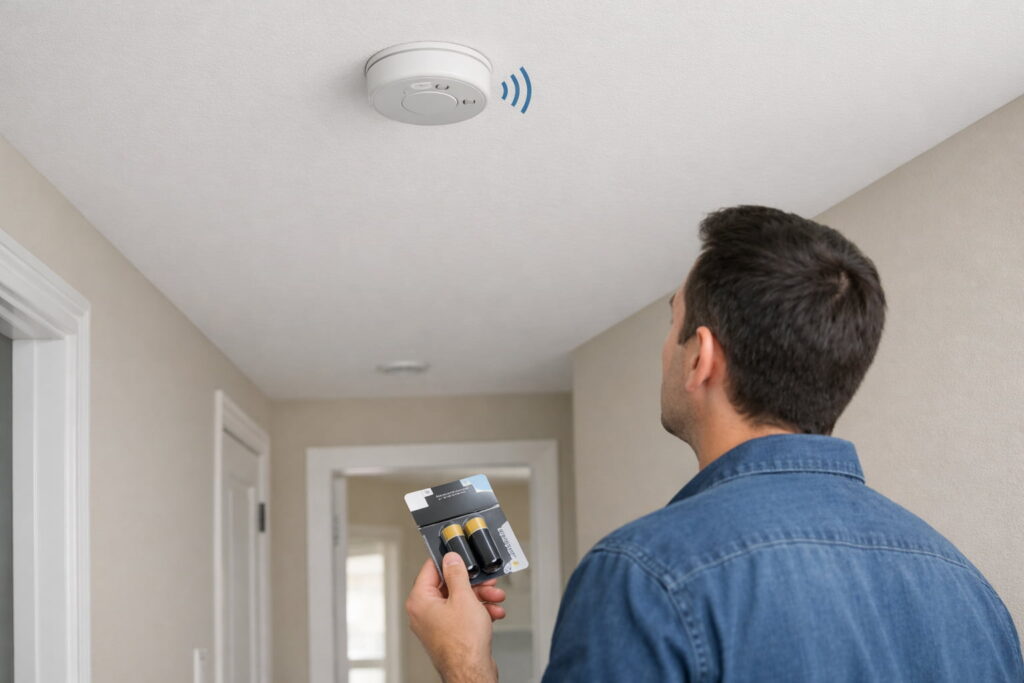
If your smoke detector keeps chirping with a new battery, the most common fixes are (1) reseating the battery and fully closing the battery door, (2) doing a proper reset, and (3) replacing an end-of-life alarm (often around 10 years). This guide walks you through safe, step-by-step troubleshooting without disabling a life-safety device.
Safety first
- If you see smoke, smell something burning, or hear a continuous loud alarm (not a brief chirp): treat it as a real emergency. Get everyone outside and call 911.
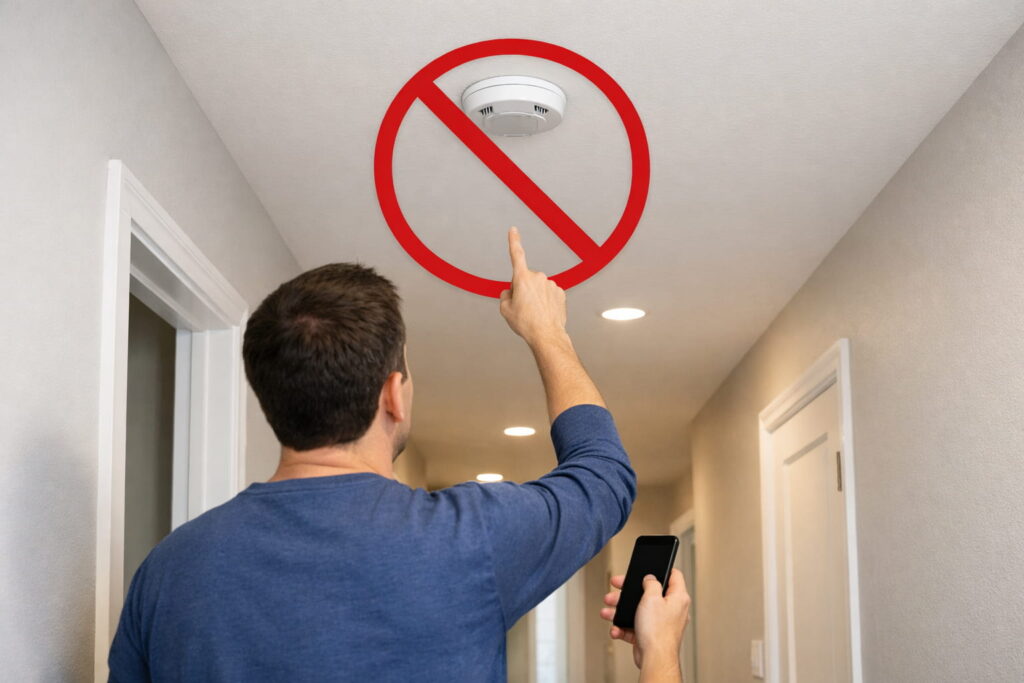
- Don’t remove or leave out the battery to stop chirping. Smoke alarms are life-safety devices. Follow safe troubleshooting steps instead. See US Fire Administration (FEMA) — Smoke Alarms.
- Keep your home protected while you troubleshoot: If you need to remove an alarm briefly to reset it, do it one device at a time and keep another working smoke alarm nearby in the area (or post someone in the space) until the alarm is reinstalled and tested. Don’t go to sleep or leave the house with a disabled alarm.
- If your alarm is hardwired and you’re not comfortable around breakers/wiring, stop and call a qualified electrician (or the manufacturer’s support).
What “chirping” usually means
A smoke alarm “chirp” is typically a trouble indicator, not the full-volume smoke alarm sound.
Chirp vs alarm (quick clarity): A chirp is typically a short, periodic “beep” that signals a maintenance issue (battery, end-of-life, fault). A full alarm is a loud, continuous alarm pattern meant to warn of smoke/fire. Some smart alarms may also use voice/app alerts—treat those messages as the source of truth for what the device needs.
The most common reasons include:
- Battery not making good contact / battery door not fully closed
- The alarm needs a reset after a battery change (stored charge or a “trouble” state)
- Hush mode behavior (model-dependent)
- End-of-life (EOL) warning / sensor fault (common when the unit is old)
- Hardwired unit power interruption behavior (model-dependent)
- Smart alarm status messages (low battery vs expiration vs sensor failure)
Quick diagnosis: match the chirp to the most likely cause
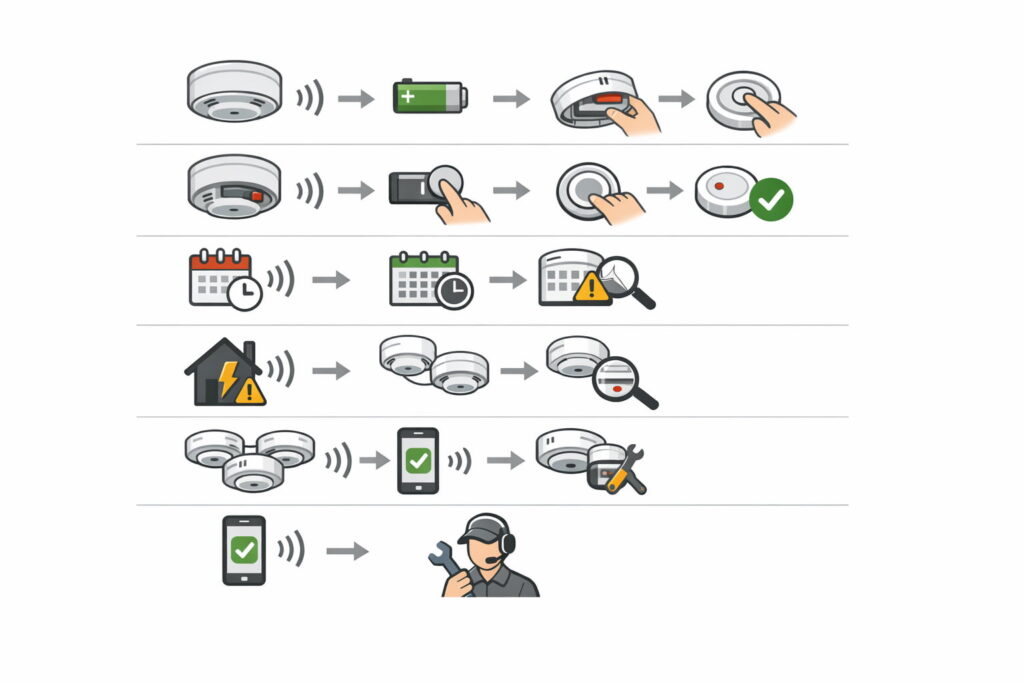
Chirping started immediately after you changed the battery
Most likely: battery seating/door latch issue or reset needed.
Chirping continues and the alarm is old (or you don’t know its age)
Most likely: end-of-life. Many U.S. safety sources recommend replacing smoke alarms around 10 years. See U.S. Consumer Product Safety Commission — Smoke Alarms: Why, Where, and Which (Pub. 559).
Chirping started after a power outage (hardwired alarms)
Most likely: power interruption behavior or a hardwired reset sequence (varies by model).
If you have multiple alarms (interconnected): The chirping sound may be coming from a different unit than the one you’re looking at (especially in hallway/bedroom networks). Walk the house and listen at each alarm. Once you find the chirping unit, troubleshoot that specific alarm (age, reset, end-of-life).
It’s a smart alarm (like Nest Protect)
Most likely: the device is indicating a specific condition (low battery vs expiration vs sensor issue). Don’t guess—identify the message in the app/voice prompts.
Step-by-step: safe troubleshooting you can do now
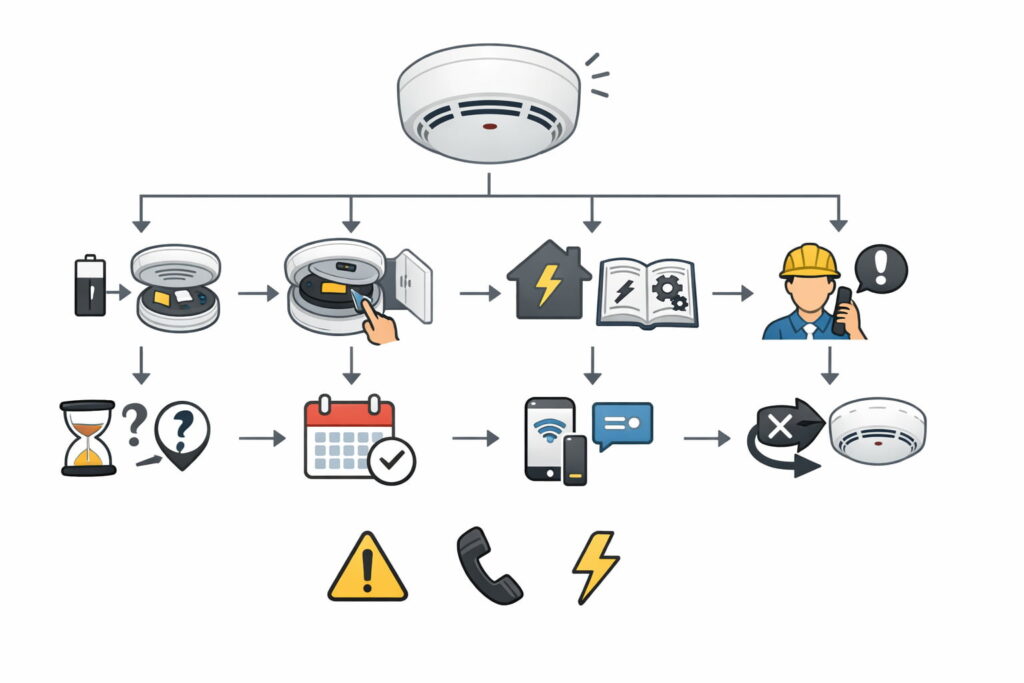
Before Step 1 (30 seconds): identify the exact model. Look on the back/side of the alarm for the model number and power type (battery-only, hardwired with backup, or sealed 10-year battery). If you can, pull up the model’s manual/troubleshooting page—reset steps and chirp meanings vary by model.
Step 1: Reseat the battery and fully close the battery door (fastest win)
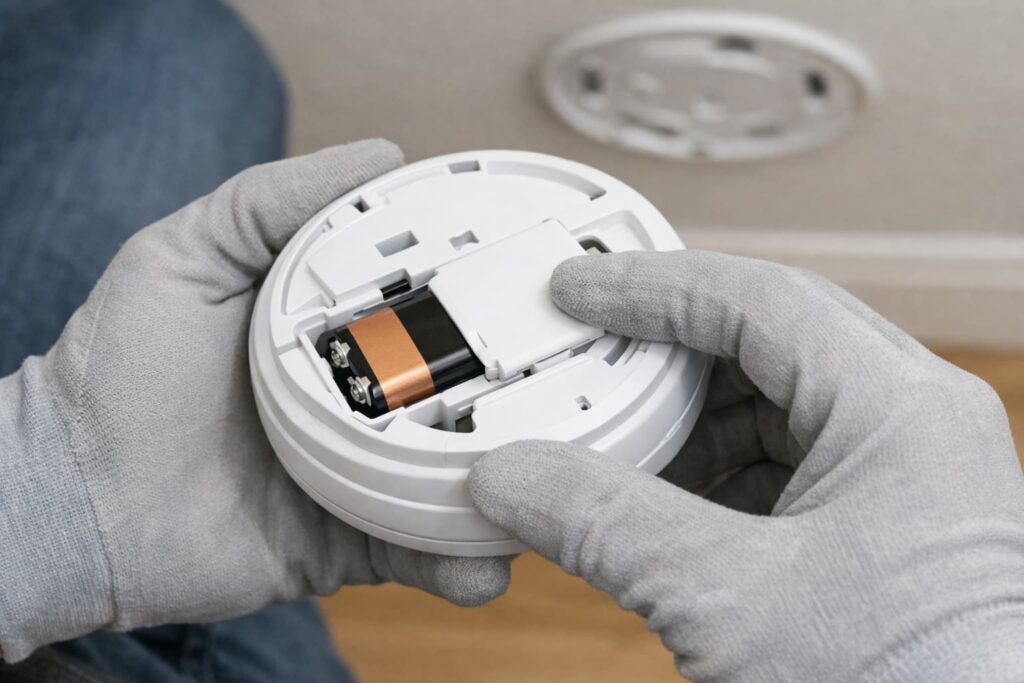
What to do
- Open the battery compartment.
- Remove the battery and reinstall it carefully (correct orientation, firm fit).
- Close the battery door completely (some models chirp if it isn’t fully latched).
- Press Test once to confirm the alarm responds.
Why this works
A lot of “new battery but still chirping” situations are simply poor battery contact or a not-fully-closed battery door.
Step 1B (optional): Clean the alarm’s air inlets (safe, no disassembly). Dust and tiny insects can sometimes trigger odd behavior. With the alarm mounted and powered, gently vacuum the exterior vents using a soft brush attachment (or use compressed air in short bursts). Then press Test. If the alarm is heavily contaminated or keeps acting erratically, replacement is often the safest move.
Step 2: Do a proper reset (often the real fix)
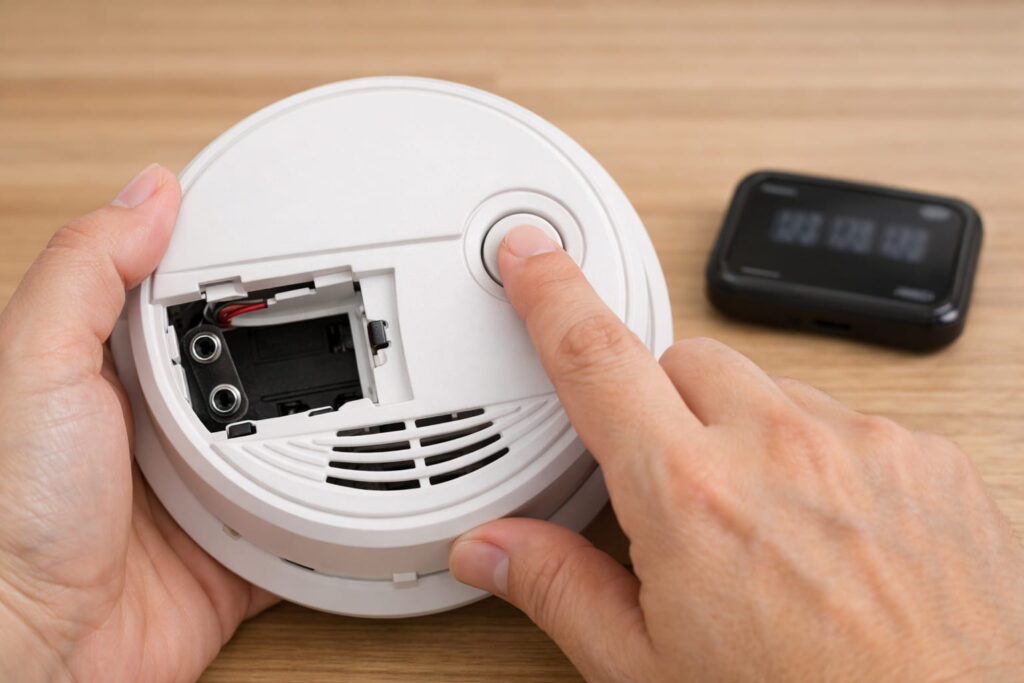
Even with a fresh battery, some alarms keep chirping until you clear stored charge or the trouble state.
General reset pattern (battery-only alarms)
- Remove the battery.
- Press and hold the Test button for the time your manufacturer specifies.
- Reinstall the battery.
- Press Test again.
Follow the manufacturer’s instructions for your model
If you have a Kidde alarm (battery-only or hardwired with backup), their troubleshooting guidance includes reset steps and what to do for AC units with battery backup: Kidde — What Causes Intermittent Beeping or Chirping?.
If you have a First Alert unit, their support guidance includes a “fully reset” method after a new battery: First Alert Support — Alarm Chirps with New Battery.
Video (visual help for the reset idea)
A quick visual walkthrough of common “chirp after battery change” fixes, including the basic reset concept (use it to understand the steps, then follow your specific brand’s instructions).
If your alarm has a sealed 10-year battery: You typically cannot fix chirping by “changing the battery,” because the battery isn’t user-replaceable. If it’s chirping and reset steps don’t clear it, treat it as an end-of-life/fault situation and plan to replace the whole unit (or follow the manufacturer’s specific service guidance for that model).
Step 3: Check whether “Hush” is involved (model-dependent)
Some alarms behave differently after you use Hush for a nuisance alarm (for example, from cooking steam). If you recently used Hush:
- Wait a few minutes to see if the chirping stops.
- If chirping continues beyond what your model describes, proceed to the next steps.
Step 4: Check the manufacture date (end-of-life is a top cause)
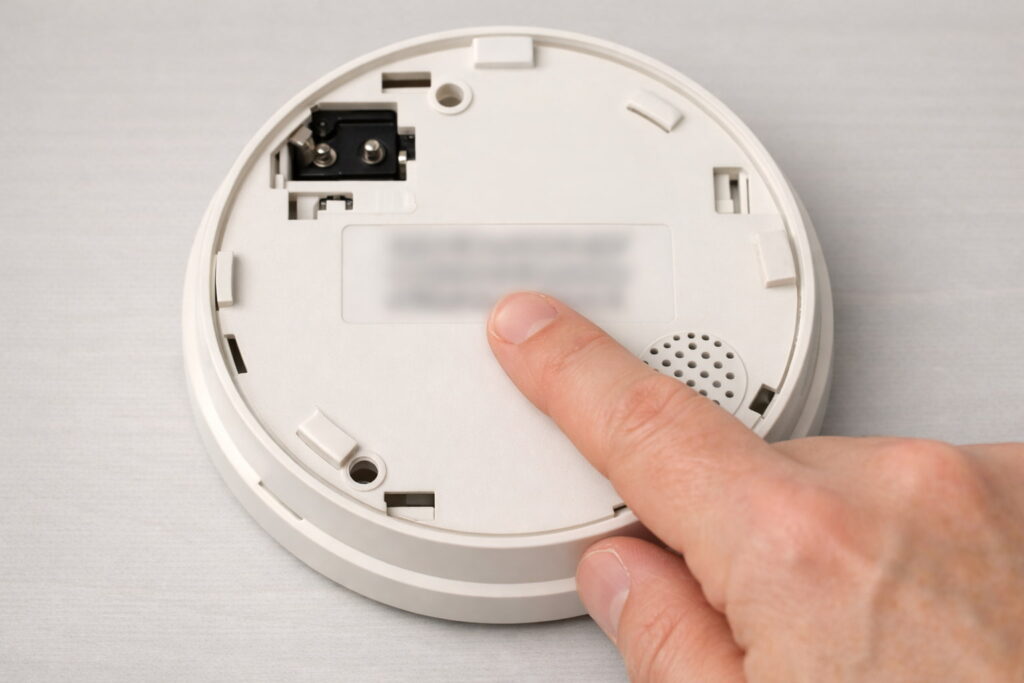
If your smoke detector keeps chirping with a new battery, age is a big clue.
What to do
- Look for a manufacture date on the back/side of the alarm.
- If it’s around 10 years old (or older), replace the entire alarm.
NFPA’s home guidance includes the “replace every 10 years” message and general maintenance recommendations: NFPA — Learn More About Smoke Alarms.
Step 5: If it still chirps after reseating + reset, treat it as “replace the alarm”
If you’ve:
- reseated the battery,
- ensured the door is latched,
- done the correct reset for your model,
…and the chirping continues, it’s commonly an end-of-life warning or sensor fault. Replacement is usually the safest, most reliable move—especially if the unit is near/over the 10-year mark.
If it’s a Nest Protect (or another smart alarm), don’t guess—confirm the alert type
Smart alarms may chirp for different reasons (low battery vs expiration vs sensor issue), and the fix depends on the specific message.
What to do
- Check the app/voice prompt to identify the alert.
- Follow the manufacturer’s battery replacement steps and guidance.
For Nest Protect battery replacement instructions, see Google Nest Help — Replace Nest Protect’s batteries.
Video (official, shows device handling/installation basics)
Official Google Nest video showing how the battery version mounts/unmounts—helpful for safely removing the unit so you can access the battery area.
Do I need to replace it? A simple rule of thumb
Replace the alarm if any of these are true:
- It’s around 10 years old (or you can’t confirm the date).
- Chirping continues after the correct reseat + reset steps.
- The unit indicates end-of-life / sensor trouble per its brand guidance.
- The alarm is physically damaged, painted over heavily, or repeatedly unreliable.
After the chirping stops (don’t skip this): Press Test to confirm the alarm sounds properly. If you replaced an older unit, confirm you replaced it with the correct type for the location and power setup (battery-only vs hardwired). Make a quick note of the install date for future replacement planning.
Common mistakes that keep the chirp going
- Battery not fully seated, or battery door not fully closed
- Skipping the reset after installing a new battery
- Ignoring the manufacture date (a new battery can’t fix an expired sensor)
- Disabling the alarm to stop noise (unsafe—avoid)
When to call a pro (or manufacturer support)
Call for help if:
- The unit is hardwired and chirping persists after following the manufacturer’s hardwired reset steps.
- You suspect an electrical issue (especially if chirping began after other power problems).
- You can’t identify the model or chirp meaning and want brand-specific guidance.
FAQs
Why does my smoke detector keep chirping after I put in a new battery?
Most often it’s a battery contact/door latch issue, the alarm needs a reset, or the alarm is at end-of-life and needs replacement.
How do I reset a smoke detector that keeps chirping with a new battery?
Many models reset by removing the battery, holding the Test button for a set time, then reinstalling the battery and testing. Follow your brand’s instructions for your exact model.
How can I tell if my smoke alarm is end-of-life?
Check the manufacture date on the alarm. Many safety sources recommend replacing smoke alarms around 10 years.
Can I take the battery out to stop the chirping?
No. Don’t disable a smoke alarm to stop chirping. Use safe troubleshooting steps so your home stays protected.
My hardwired smoke alarm chirps after a power outage—what should I do?
Hardwired alarms can chirp after power interruptions and may require a manufacturer-specific reset sequence. If you’re unsure or not comfortable near breakers/wiring, call an electrician.
Will changing the battery stop all chirping?
Not always. If the alarm’s sensor is expired or faulty, it may continue chirping even with a new battery and should be replaced.
Conclusion
When a smoke detector keeps chirping with a new battery, the fix is usually straightforward: reseat the battery and latch the door, do the correct reset, and check the manufacture date. If it’s near end-of-life—or chirping continues after proper steps—replacement is typically the safest solution.
Helpful YouTube videos (optional)
NFPA’s overview of home smoke alarm testing/maintenance—useful for the “test monthly + replace old alarms” safety habits.
Sources / References
- US Fire Administration (FEMA) — Smoke Alarms
- U.S. Consumer Product Safety Commission — Smoke Alarms: Why, Where, and Which (Pub. 559)
- NFPA — Learn More About Smoke Alarms
- Kidde — What Causes Intermittent Beeping or Chirping?
- First Alert Support — Alarm Chirps with New Battery
- Google Nest Help — Replace Nest Protect’s batteries