

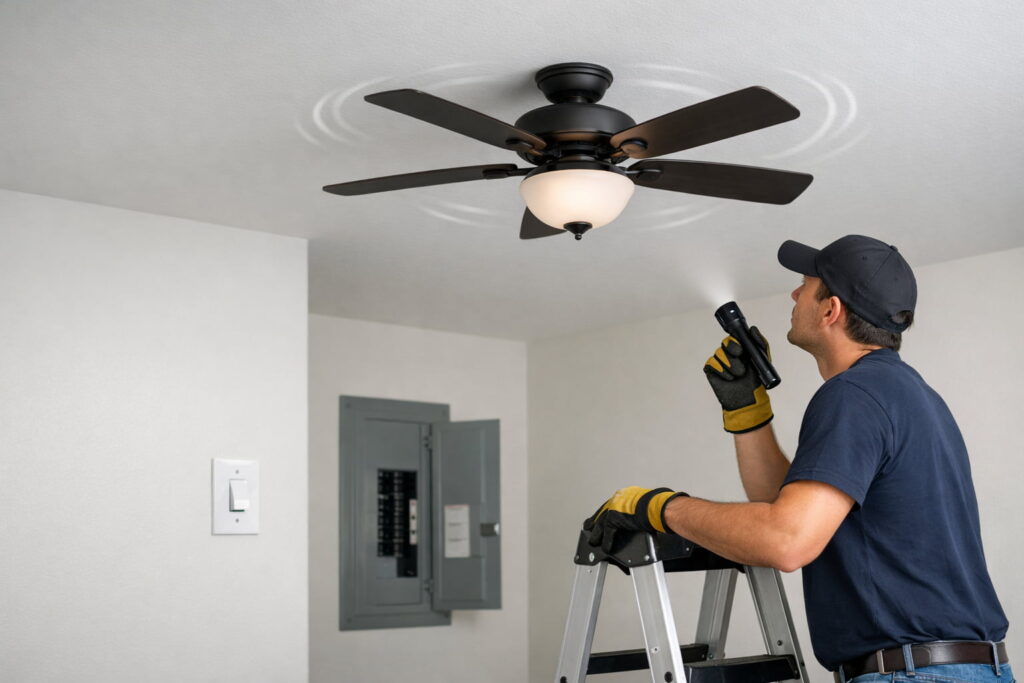
If your ceiling fan humming but not spinning, turn power OFF at the breaker first, then check for blade drag, a reverse switch stuck in a middle/neutral position, and basic remote/receiver issues. Those are the safest, most common causes you can rule out before anything deeper.
The fastest safe checks
- Turn OFF power at the breaker before touching the fan.
- With power off, spin the blades by hand: they should rotate smoothly without scraping.
- Set the reverse switch fully to one side (not centered).
- If it uses a remote: replace batteries and follow your manual’s pairing steps.
- If you smell burning, see sparks, or the breaker trips: stop and call a licensed electrician.
- If the fan is on a wall control: make sure it’s a fan-rated speed control, not a standard light dimmer (dimmers can cause humming and poor starting).
Safety first (don’t skip this)
Ceiling fans are hardwired overhead. Treat this like electrical troubleshooting, not a “wiggle it and see” project.
Before any checks:
- Turn the fan OFF at the wall switch/remote.
- Shut OFF the circuit at the breaker feeding the fan.
- Use a stable step ladder and keep hands/tools dry.
The U.S. Consumer Product Safety Commission explains why wiring hazards can lead to shock or fire and why defects should be handled by qualified help when they’re beyond basic checks: U.S. CPSC — Guide to Home Wiring Hazards.
What the humming sound usually means
A hum often means the motor is getting power but can’t start turning or can’t turn freely. The usual buckets are:
- A setting/control problem (reverse switch, remote/receiver)
- Mechanical drag (rubbing/binding)
- A wiring/component issue (receiver module, wiring harness, capacitor)
If the fan hums and the motor housing feels unusually warm, turn it off and leave it off for a while. Repeatedly trying to start a stalled motor can make overheating worse. If the problem returns after basic checks, treat it as a service issue.
Work through the steps in order—each one is safe and low-risk.
Quick symptom splitter (30 seconds)
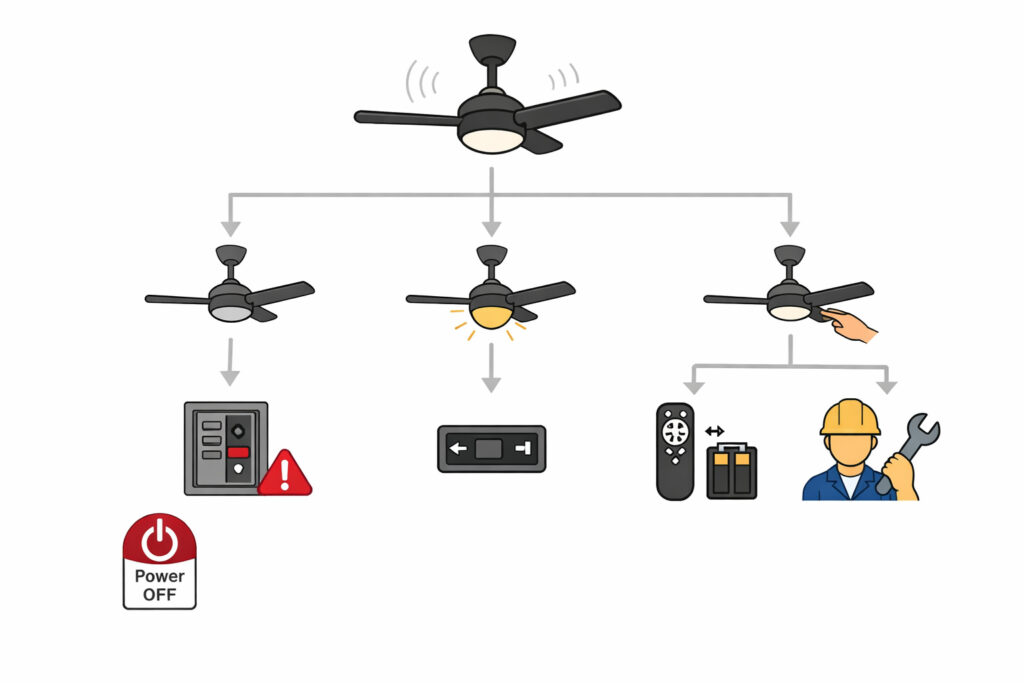
Pick the path that matches what you see:
- Hums, blades never move: Start with reverse switch + drag checks.
- Light works, fan won’t spin: Suspect control/receiver/harness issues.
- Starts only if you “help” it by hand (power off tests first): Often points to a control/component problem that may need service.
Quick visual walkthrough (general troubleshooting)
This Home Depot video gives a simple start-to-finish troubleshooting flow (power/control/basic mechanical checks) so you can quickly identify the right next step.
Step 1: Make sure the reverse switch isn’t “stuck in neutral”
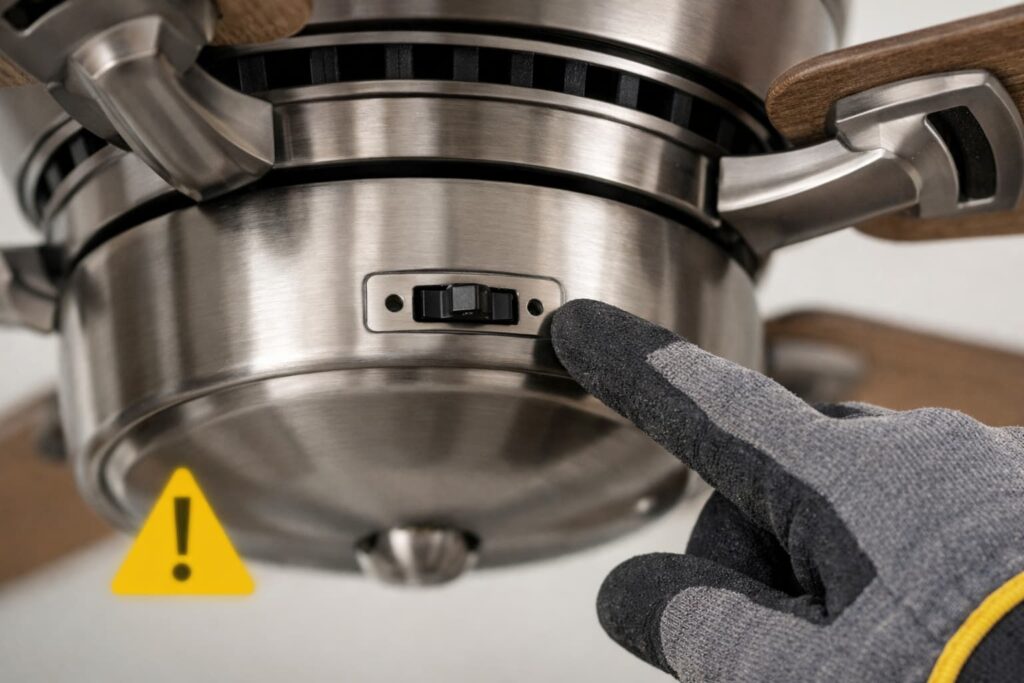
Many ceiling fans have a small reverse (direction) switch on the housing. If it’s in a middle/neutral position, some fans won’t start.
What to do (power OFF):
- Find the reverse switch on the fan body.
- Flip it fully to one side until it clicks—don’t leave it halfway.
- Restore power and test.
This “reverse switch in neutral position” cause and fix is listed in an Emerson troubleshooting table: Emerson “Summer Night 52” Owner’s Manual (PDF).
Step 2: Do the “spin test” to find blade drag or rubbing
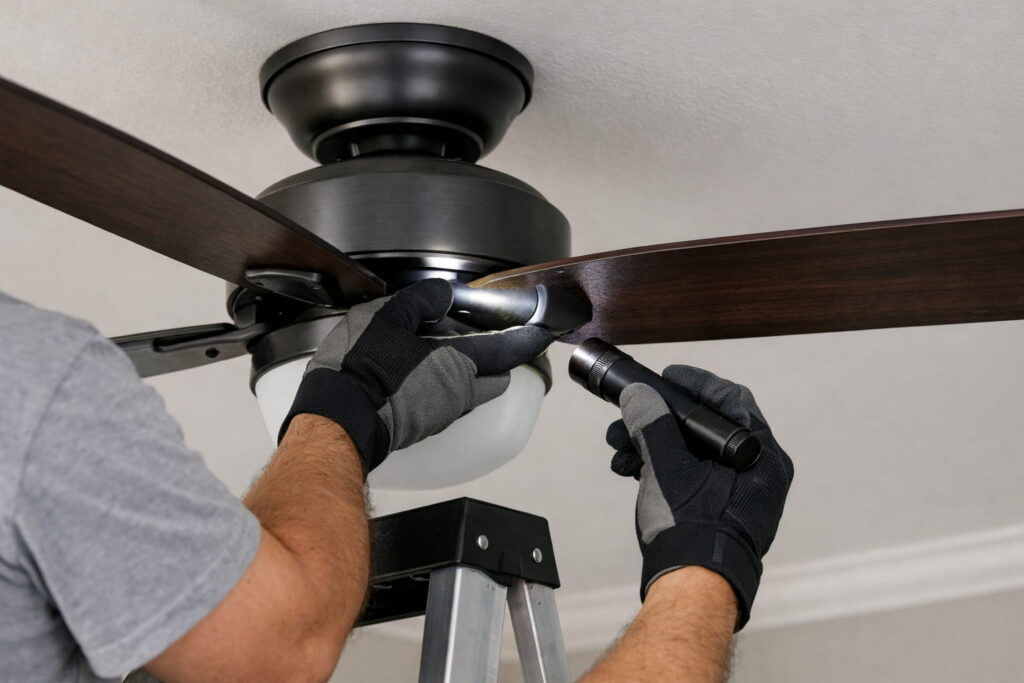
With power OFF, gently spin the blades by hand.
Normal:
- Smooth rotation with a gradual coast to a stop.
Not normal:
- Grinding, scraping, ticking, or a sudden stop
- A tight spot once per rotation
- A blade/bracket appears bent or hits the housing/canopy
Note: If the fan spins normally but wobbles or rattles, that’s a different issue (balance, loose blades, mounting). This guide is for when the motor hums but the blades don’t start turning.
Safe fixes to try (power OFF):
- Snug the blade screws and blade arm/bracket screws (firm, not stripped).
- Make sure the canopy is seated correctly and not rubbing.
- Look for obvious interference (wire pinched at the canopy, blade contacting something).
Stop and call a pro if:
- The fan feels seized, continues grinding, or you see damaged wiring insulation.
Step 3: If it’s a remote fan, rule out remote/receiver issues
Remote-controlled fans often have a receiver module in the canopy. A weak battery, pairing issue, or mismatched settings can make the motor seem “dead” or inconsistent.
Start with no disassembly:
- If your fan has a pull chain for speed, set it to a fixed speed (not OFF) and use the remote for on/off and speed changes. A pull chain left in the wrong position can make a remote-controlled fan act like it won’t start.
- Replace remote batteries.
- Make sure the wall switch is ON (many remotes need constant power).
- Follow your fan’s manual for pairing/reset steps.
Helpful official video (pairing)
This Hunter Fan Company video shows a safe, common remote pairing process so you can rule out a simple sync issue first.
If your model uses DIP switches
Some fans/remotes use DIP switches to match the transmitter to the receiver. If your manual mentions them, ensure the remote and receiver settings match.
A Harbor Breeze manual includes this DIP-switch match in its troubleshooting guidance: Harbor Breeze “The Stokes” Ceiling Fan Manual (PDF).
Step 4: Check for a loose plug/connector in the switch housing (only if you’re comfortable)
Some fans use a multi-pin plug between the motor and the switch housing/light kit. If it’s not fully seated, you may get power to lights but not to the motor—or intermittent behavior.
Only proceed if:
- Power is OFF at the breaker
- You can support the housing while removing screws
- You can reassemble exactly as found
Stop immediately if you see:
- Melted plastic, scorch marks, brittle insulation, or burnt connectors
If any of that is present, this is no longer a DIY check—call an electrician.
Step 5: If the fan has power but won’t spin, treat it like a wiring/component problem
If you’re confident the circuit is live and the fan has power (for example, the light works) but the blades won’t spin, you may be looking at a control module/receiver issue or an internal wiring/harness problem.
Hunter notes that “power present but blades won’t spin” can point to a wiring issue and may require a wiring harness path through their support: Hunter Fan — How to Fix a Ceiling Fan.
Helpful official video (receiver placement/wiring context)
This Hunter Fan Company video helps you understand what a remote receiver is and where it sits in the canopy—useful for recognizing what you’re dealing with before deciding to call a pro.
DIY boundary
Replacing receivers, harnesses, or internal components is overhead electrical work. If you’re not experienced, this is the safest point to hire a licensed electrician or use manufacturer service.
Step 6: Don’t oil the motor unless your manual specifically says to
Oiling is a common “internet fix,” but many modern motors have sealed bearings. Some manuals explicitly warn against oiling permanently lubricated motors and give cleaning precautions (including avoiding water in the motor area). See the care guidance in Harbor Breeze “The Stokes” Ceiling Fan Manual (PDF) (linked earlier).
When to stop DIY and call a pro
Stop and call a licensed electrician (or manufacturer support for warranty service) if you notice:
- Burning smell, smoke, sparks, popping sounds, or heat at the canopy/switch housing
- Repeated breaker trips
- You’re tempted to keep flipping the switch to “see if it catches.” If it hums without spinning more than once, stop testing until you’ve done the power-off checks. Repeated start attempts can overheat components.
- Damaged insulation, pinched wiring, or loose live wires you can’t confidently secure
- The fan is mechanically seized or still grinds after basic tightening
For safety framing on electrical hazards and why defects should be handled by qualified help, reference U.S. CPSC — Guide to Home Wiring Hazards (linked earlier).
Quick “cause → safest first fix” table
| What you see | Likely cause | Safest first fix |
|---|---|---|
| Hums, won’t spin | Reverse switch neutral | Flip switch fully to one side (power off first) |
| Hums, won’t spin | Mechanical drag/rubbing | Spin test + tighten blade/blade arm hardware |
| Light works, fan won’t spin | Receiver/harness/control issue | Battery/pairing checks, then manufacturer support |
| Remote won’t control fan | Pairing/settings issue | Re-pair per manual; confirm wall switch on |
| Weird speeds / inconsistent start | Control/component issue | Verify correct control method; consider service |
FAQs
Why is my ceiling fan humming but not spinning?
Most often it’s a reverse switch not fully engaged, mechanical drag (rubbing/binding), or a remote/receiver control issue.
Is it dangerous if the ceiling fan hums but doesn’t spin?
It can be. If you notice burning smells, sparking, heat, or breaker trips, turn power off and call a licensed electrician.
What should I check first?
Turn power off at the breaker, then check the reverse switch position and do the spin test for rubbing or binding.
What if the light works but the fan won’t spin?
That often points to a control/receiver or internal wiring issue rather than a simple power problem. Follow manufacturer troubleshooting and consider service.
Can I “push start” the fan to get it going?
Don’t treat that as a fix. If it only starts with help, something’s off and may worsen. Do the safe checks first and consider professional service.
Should I oil the motor?
Only if your owner’s manual explicitly instructs oiling. Many modern fans are permanently lubricated and shouldn’t be oiled.
Conclusion
When you’re dealing with ceiling fan humming but not spinning, start with the safest wins: power off, reverse switch fully engaged, and a quick spin test to rule out drag. If it’s remote-controlled, rule out simple pairing/battery issues next. The moment you see heat, burning smells, sparking, or damaged wiring, stop and call a licensed pro—it’s the safest move.