

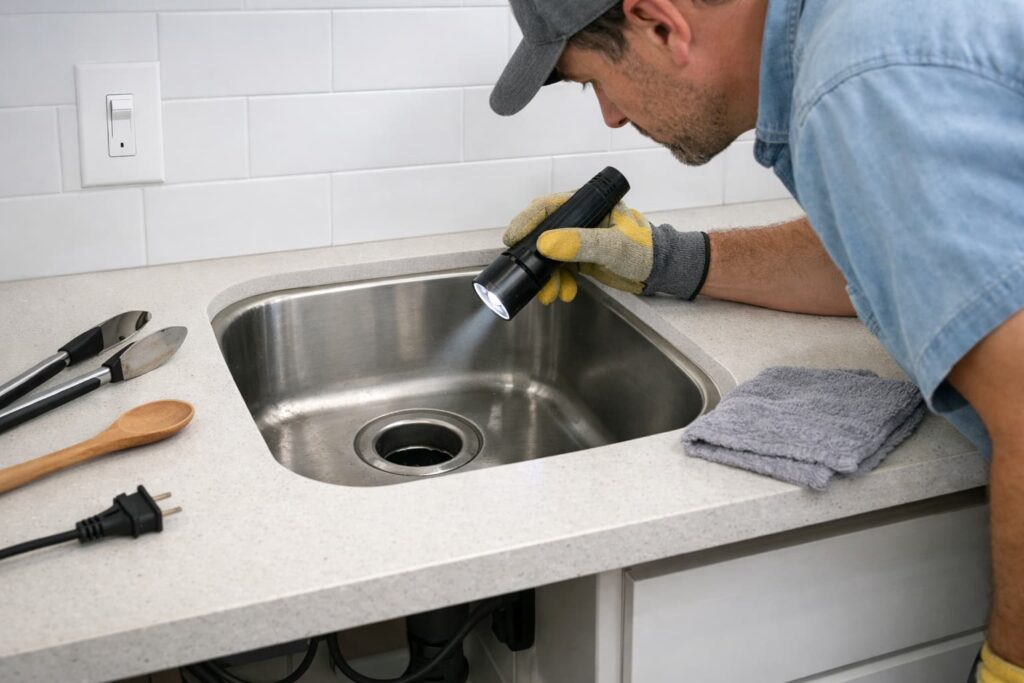
If your garbage disposal humming but not spinning, it’s usually jammed or the overload protector has tripped. The safest fix is to cut power, free the jam, remove the obstruction with tongs, let it cool, then press the reset button (if equipped).
This guide sticks to manufacturer-style, safety-first steps—no risky teardown.
Safety first (don’t skip this)
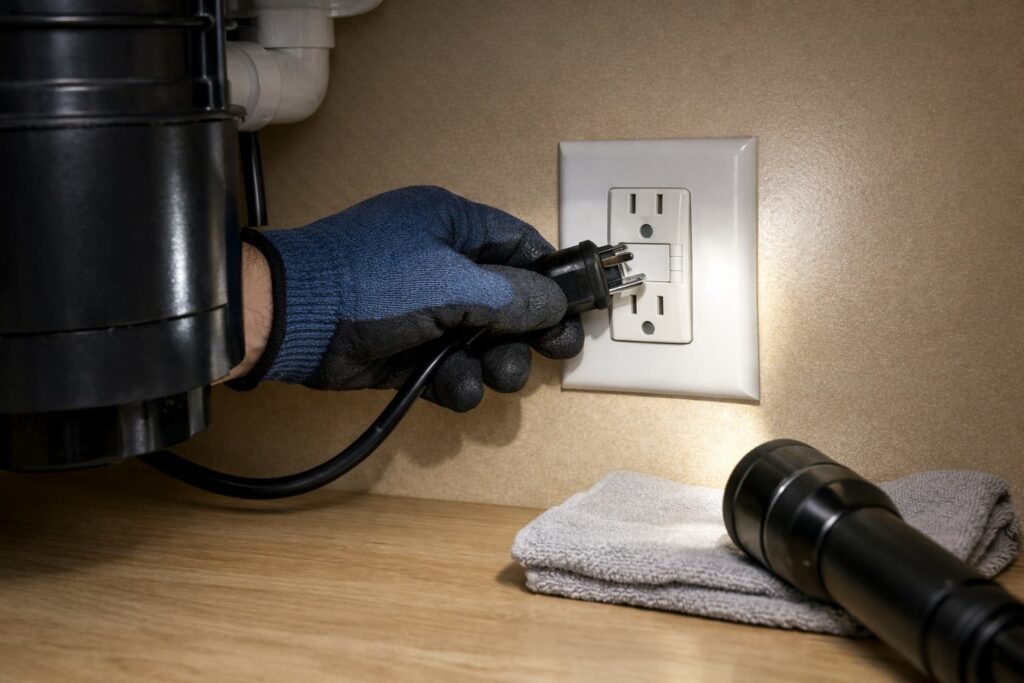
- Switch the disposal OFF.
- Cut power: unplug under the sink if it’s plugged in, or turn off the correct breaker if it’s hardwired.
If it’s hardwired (no plug): turn off the disposal’s breaker (or the kitchen circuit if labeled that way). If you’re not 100% sure which breaker controls it, turn off the main switch for that circuit area and confirm the disposal won’t run before continuing. - Never put your hand inside the disposal.
- Use tongs/pliers for anything you remove.
For manufacturer-style safety language, see GE Appliances — Use and Care of Food Waste Disposers (PDF).
What you’ll need (2 minutes to grab):
- Flashlight
- Tongs or needle-nose pliers (no hands in the disposer)
- Wooden spoon handle or broom handle (for the safe “from above” method)
- Disposal unjamming tool / wrenchette (if your model came with one)
- Small towel (under-sink drips)
- Optional: a hex/Allen wrench only if your model specifically uses one
Why it hums but won’t spin
A hum usually means the motor is trying to turn, but something is preventing the grind mechanism from rotating (often a foreign object or fibrous food). That’s also when an internal overload can trip after repeated attempts—common guidance covered by Moen Solutions — How to Unjam a Garbage Disposal.
Important: If it hums but won’t spin, don’t keep toggling the switch. Repeated attempts can overheat the motor and trip the overload—or damage the unit. Treat humming as a “stop and clear the jam” signal.
Step-by-step safe fixes (most “humming” problems)
Step 1: Look for an obvious obstruction (no hands)
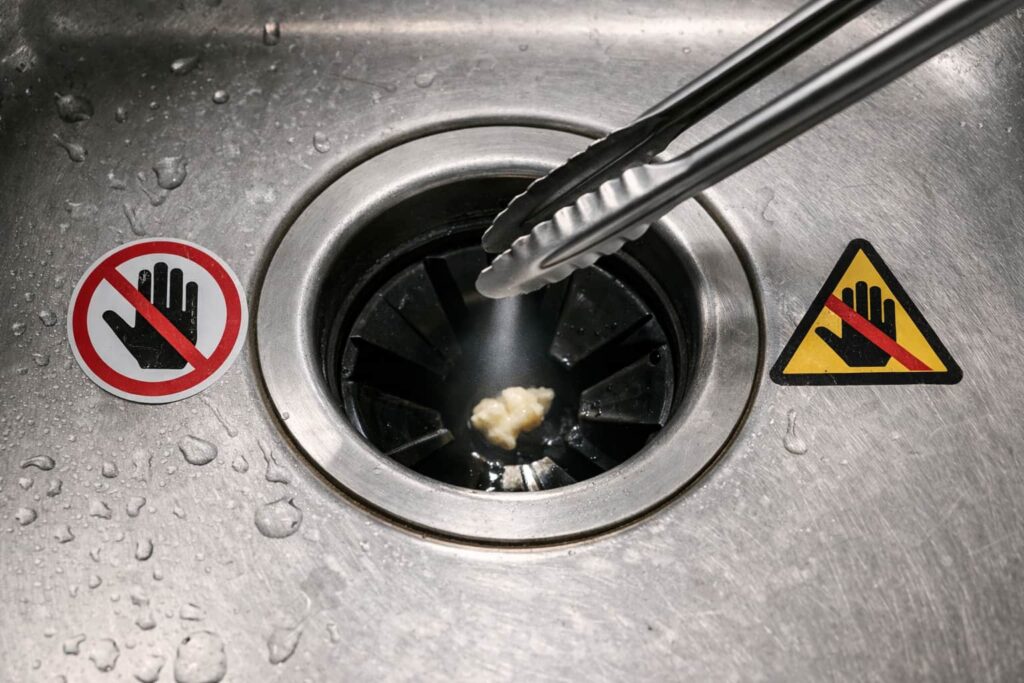
With power OFF, shine a flashlight down the drain opening.
- If you see something stuck, pull it out with tongs/pliers.
- If you can’t grab it safely, move to the unjam steps below.
Step 2: Free the jam (two safe methods)
Option A: Rotate from underneath (if your model supports it)
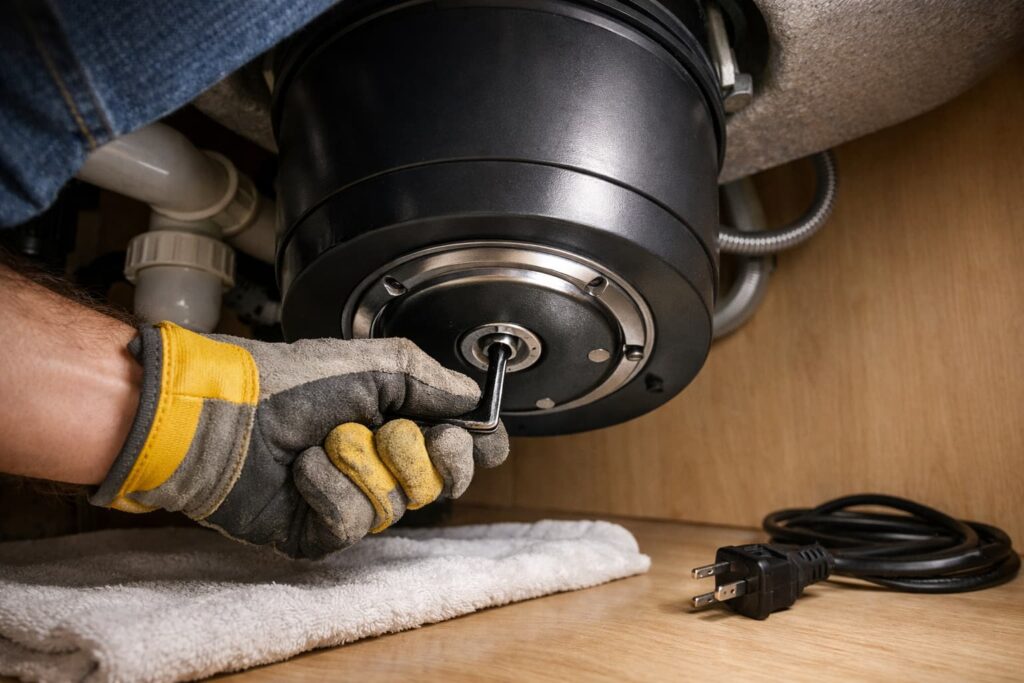
Many disposals have an access point underneath for an unjamming tool (some brands specify an included tool or a compatible hex/Allen method for their designs). Rock the mechanism back and forth until it moves freely.
Official reference for jam-clearing patterns: InSinkErator Support — Fixing a Jammed Garbage Disposal.
Video (visual demo of jam-clearing technique):
This shows an official-style jam/foreign object clearing approach so you can see what “freeing the mechanism” looks like.
Option B: Loosen the jam from above using a wooden handle
If you can’t rotate it from underneath, use a long wooden spoon/broom handle to gently nudge the mechanism from above (power OFF). Avoid metal tools from above.
Safety-aligned method reference: GE’s use/care guidance (linked earlier).
No hex socket underneath? Some models don’t have a bottom turning point—use the wooden-handle method from above.
No reset button? Not every disposal has a visible reset. If yours doesn’t, focus on clearing the jam and confirming power at the breaker/plug.
Step 3: Remove the cause of the jam (tongs only)
Once it starts to move, check again with a flashlight and remove anything loose with tongs/pliers. Rotate a bit more (using the safe method above) to confirm it’s no longer binding.
Quick check before you reset: Using the safe unjam method (under-sink tool or wooden handle), make sure the mechanism turns freely in both directions. If it still binds, keep searching for an obstruction before pressing reset—otherwise it may hum/trip again immediately.
Step 4: Cool down + press the reset button (if equipped)
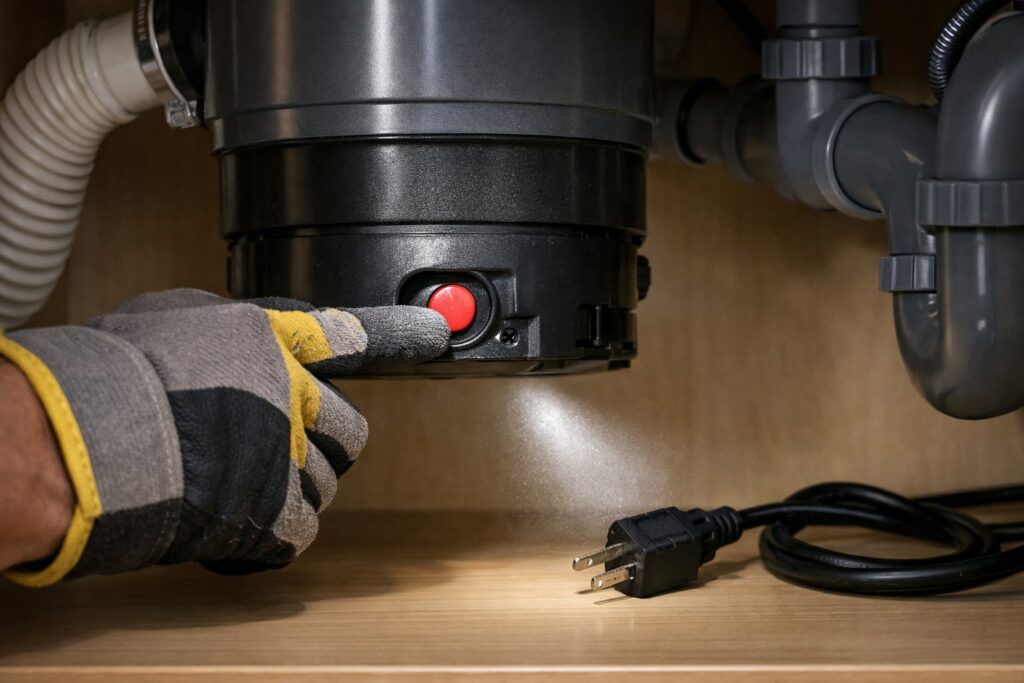
If the disposal hummed for more than a moment, it may have overheated and tripped an overload.
- Wait for it to cool if it feels warm.
- Press the reset button on the bottom of the unit (often red) if your model has one.
Reset guidance: Waste King — Support FAQ.
Video (reset button location + basics):
Useful for seeing where the reset is and how brands typically describe the overload/reset step.
Step 5: Restore power and test safely
- Restore power (plug back in or flip the breaker on).
- Turn on cold water.
- Switch the disposal ON.
What a “good test” sounds like: A steady grind/whir with smooth water flow. If you hear loud metal-on-metal clanking, switch it off immediately and recheck for a foreign object. Keep cold water running during the test and for a few seconds after you switch it off to help flush debris.
If it spins normally, run it briefly with cold water, then switch it off.
If it still hums after unjamming + reset
Do these safe, limited checks, then stop:
Check the breaker once
If it’s hardwired or nothing happens after reset, check the service panel once and reset a tripped breaker if needed—then retest.
(General manufacturer troubleshooting guidance to check power is also covered in the InSinkErator support page linked above.)
Stop and call a pro if any of these happen
- Burning smell, smoke, sparking
- Repeated breaker trips
- You cannot free rotation using the safe unjam method
- You suspect wiring/switch problems (no opening junction boxes)
At that point, the issue may be an internal electrical fault or a seized motor—best handled by a qualified plumber or appliance technician.
Prevent the next jam (common “don’t grind” items)
Rules vary by brand/model, but many official guides warn against items that commonly jam or damage disposers, including:
- Glass, china, plastic
- Metal/foil
- Large bones
- Very fibrous waste (example: whole corn husks)
- Caustic drain cleaners
See the “what not to grind” style guidance in GE Appliances (linked earlier) and Waste King (linked earlier).
Two prevention habits that help most:
- Feed scraps gradually (not all at once), and avoid packing fibrous peelings into the opening.
- Don’t pour grease down the disposer—let grease cool and dispose of it in the trash to reduce clogs and buildup.
Quick troubleshooting map
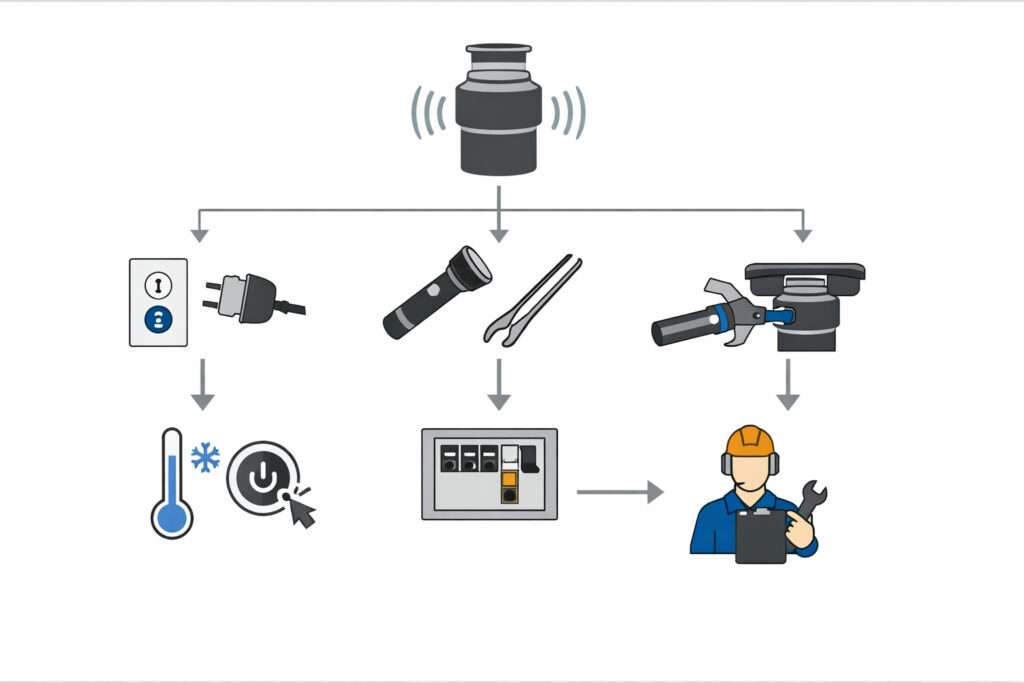
- Hums, won’t spin → power OFF → flashlight check → remove with tongs → unjam (under-sink tool or wooden handle) → cool → reset → test with cold water
- No sound at all → check power (plug/breaker) → then reset if equipped
- Keeps tripping/resetting → stop → call a pro (overload or electrical fault may be present)
FAQs
Why is my garbage disposal humming but not spinning?
Most often, something is jammed in the grind mechanism or the overload protector has tripped after the motor struggled.
Can I just hit the reset button right away?
It’s safer to turn power off and clear the jam first, then cool and reset—otherwise it may trip again immediately.
Is it safe to reach in and pull stuff out?
No. Use tongs/pliers—manufacturer guidance warns against putting hands/fingers in the unit.
What if I don’t have an unjam socket underneath?
Use the wooden handle method from above (power OFF) to gently loosen the jam, then remove the obstruction with tongs.
Why does it hum and then shut off?
That often happens when the overload protector trips after the motor can’t turn freely.
When should I replace the disposal instead of fixing it?
If it won’t rotate after safe unjamming, or it repeatedly trips despite clearing jams, the motor may be failing—get a pro opinion.
When is this an emergency?
If you notice smoke, burning smell, sparks, or repeated breaker trips, shut off power and call a pro.
Conclusion
A garbage disposal humming but not spinning is usually fixable with a safe sequence: cut power, free the jam, remove the obstruction with tongs, cool down, and reset. If the unit still hums or trips breakers, stop and bring in a pro—electrical and motor faults aren’t worth the risk.