

If your oven bake element not working issue is stopping dinner plans, the fix is often straightforward: the most common causes are a failed bake element, a power-supply problem, or a control/sensor issue—starting with safe visual checks and basic settings can narrow it down fast.
This guide focuses on electric ovens/ranges (gas ovens don’t use a “bake element” the same way).
Quick check: If your oven is gas, you won’t have an electric “bake element” as the primary heat source. For a gas oven that won’t bake, common culprits are the igniter/burner system—skip element checks and use gas-oven troubleshooting instead (and if you smell gas, follow the gas-safety steps in the FAQs).
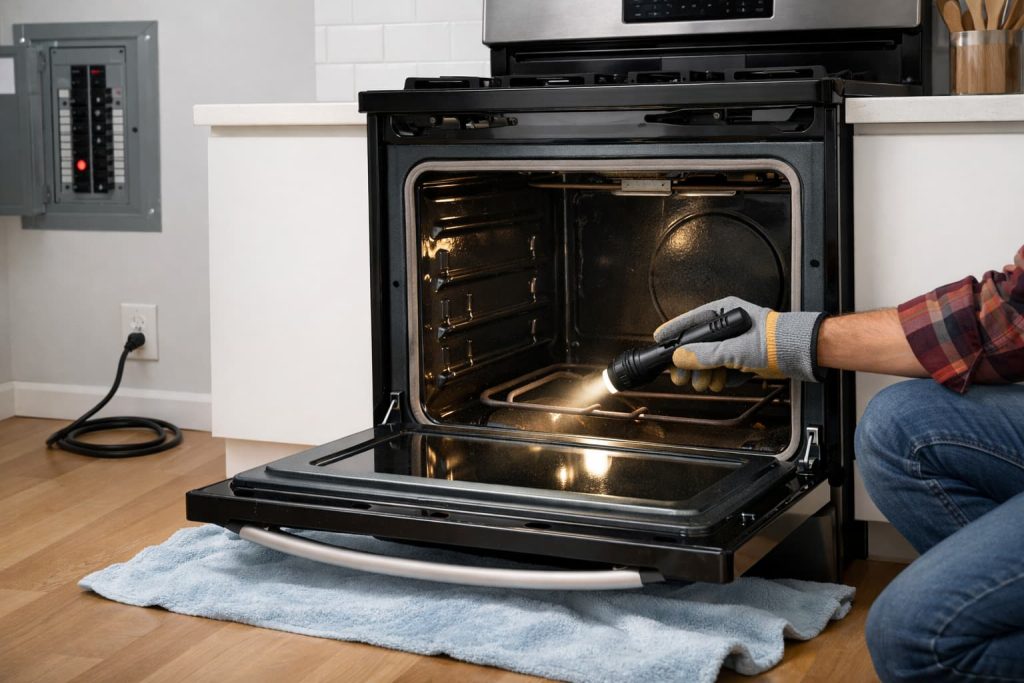
Safety first (read this before troubleshooting)
- Turn the oven OFF and let it cool completely.
- Shut off power at the breaker before touching or inspecting anything inside the oven.
- Stop immediately and get help if you notice burning smells, melting, smoke, sparking/arcing, or repeated breaker trips.
- Avoid removing panels or testing live voltage. Electric ranges/ovens commonly use 208/240V supply per installation requirements in GE Electric Built-In Installation Instructions (PDF).
What to have ready (no special tools required for the safe checks): a flashlight, a dry oven mitt, and a phone camera (snap a photo of the element and any discoloration for comparison). If you plan to schedule service, write down your model number (often inside the door frame or storage drawer area).
Call a pro right away if you’re not comfortable working around electricity, if wiring looks burned, or if the breaker trips repeatedly.
Quick diagnosis: what exactly is happening?
Choose the scenario that matches your symptoms:
- Bake doesn’t heat at all (no warmth)
- Broil works but bake doesn’t
- Bake heats weakly / unevenly / takes forever
- Oven won’t come on at all (no response)
Helpful baseline: Many ovens cycle the element on and off during preheat and baking—so the element may not stay bright red continuously. What matters is whether the oven steadily warms and can reach/hold the set temperature.
Step-by-step: safe checks for an oven bake element not working
1) Confirm the settings (quick win)
It sounds obvious, but it’s common:
- Make sure you selected BAKE, set a temperature, and started the cycle (some models require pressing Start).
- If your oven has modes like convection bake, regular bake, or delay start, double-check you didn’t accidentally set a delayed start or special mode.
GE’s support guidance for ovens that won’t come on emphasizes verifying correct control settings and basic power checks before moving to deeper troubleshooting: GE Appliances — Range & Wall Oven: Oven Will Not Come On.
2) Check the home power supply (display on ≠ oven heating)
A range can look “alive” (clock/display works) and still not heat properly if there’s a power-supply issue. Safest homeowner step:
- Check for a tripped breaker (some homes have paired breakers for a range; a partial trip can cause strange symptoms).
If you reset a breaker and it trips again, stop and call a qualified electrician.
3) Inspect the bake element for visible damage (power OFF)
With power off and the oven cool:
- Look for blistering, cracks, splits, burn spots, or sections that look warped.
- If the element shows obvious damage, it’s a strong sign the element has failed.
Whirlpool notes that a heating element that isn’t heating/glowing can indicate element failure and is a key part of oven-not-heating troubleshooting: Whirlpool — Why is My Oven Not Heating Up?.
Safety note: Don’t press on or “test” the element by touching it. If you briefly observe the oven during BAKE from a safe distance, you’re looking for obvious signs like a section that never heats, a visible crack, or a burned spot—then turn power back off before inspecting up close.
If you need a visual for what element replacement typically looks like (brand/model steps vary), these videos are the most useful:
This GE Appliances video helps you see the general, safety-first bake-element replacement process (useful when the element is visibly damaged).
This RepairClinic video shows a clear bake-element replacement walkthrough and helps you understand where the element mounts and how the terminals connect.
Stop boundary: If you see scorched wiring, melted insulation, or burned connectors near the element, don’t proceed—call a pro.
4) If broil works but bake doesn’t, suspect the bake side specifically
When broil works, your oven may still have power and some controls functioning—so focus on the bake circuit:
- Re-check the bake element for visible damage.
- If the element looks normal, the cause can be a control/relay issue, sensor feedback issue, or wiring problem—these usually require a technician to confirm safely.
GE’s repair guidance on “oven not heating” includes control and sensor-related causes among the common reasons heating fails: GE Appliances Repair — Why Is My Oven Not Heating?.
5) If bake heats weakly or unevenly, check the “easy” airflow/closure issues
If the oven is heating but poorly:
- Ensure the door closes and seals well (a poor seal can hurt heating performance).
- Make sure racks/pans aren’t blocking airflow around the element area.
- If performance is inconsistent (sometimes heats, sometimes doesn’t), that can point to a failing element or temperature feedback/control issue—often not something to guess at.
6) After self-clean or heavy cleaning: watch for heat damage symptoms
Self-clean cycles run extremely hot. If bake stopped working right after self-clean:
- Check for visible element damage.
- If the oven behaves oddly afterward (error codes, repeated shutdowns, breaker trips), stop and call a pro.
When you should stop and call a pro (non-negotiable)
Call a qualified appliance technician or electrician if any of these are true:
- Breaker trips repeatedly or you see sparks/arcing.
If the breaker trips immediately when you start BAKE (or trips repeatedly), leave the breaker OFF and avoid further attempts—this can indicate a shorted element, damaged wiring, or a control issue that needs professional diagnosis. - Burning smell, melted wiring, scorched terminals, smoke, or visible heat damage.
- You’d need to remove panels, access wiring harnesses, or test voltage.
- You replaced an element and the oven still won’t heat (suggests control, sensor, or wiring issues).
Extra safety note: prevent accidental burner/oven activation (recall-style hazard)
Even if your issue is “not heating,” it’s smart to reduce any chance of unintended activation—especially on ranges with front-mounted knobs:
- Use Control Lock/Lock Out if your model has it.
- Confirm knobs are fully OFF before leaving the kitchen.
- Keep the area around the range clear.
For background on the hazard and recommended safety behaviors, see U.S. Consumer Product Safety Commission — Samsung Recalls Slide-In Electric Ranges Due to Fire Hazard.
FAQs (oven bake element not working)
1) Can the oven clock work even if the bake element not working?
Yes. A range can have lights/display power while still failing to deliver proper power for heating. Start with safe breaker/power checks and correct settings.
2) If broil works, does that mean the bake element is bad?
Not always—but it makes the bake element and bake circuit prime suspects. A technician may need to test the bake circuit if the element looks normal.
3) What are the most obvious signs of a bad bake element?
Visible cracks, blisters, burn spots, or breaks are strong indicators. If wiring near the element looks burned, stop and call a pro.
4) My oven heats, but it takes forever. Is the bake element failing?
It can be. Weak/uneven heating may also involve door sealing or sensor/control issues. If the problem is inconsistent or worsening, service is usually the safest path.
5) Should I keep using the oven if bake isn’t working?
Avoid “workarounds” that push the oven to operate abnormally. If anything smells hot/burnt, if the breaker trips, or if you suspect wiring damage, stop using it and get it checked.
6) Is “oven bake element not working” ever a gas-oven problem?
Gas ovens typically use an igniter and gas burner system rather than an electric bake element. If you have a gas oven and smell gas, stop, ventilate, avoid switches/flames, and contact your gas utility or emergency help.
7) Do I need to test voltage to diagnose this?
Not as a homeowner. Safe troubleshooting is mainly settings, power supply checks, and visual inspection. Voltage testing should be left to trained techs.
Model note: Oven designs vary (hidden bake elements, different access, different controls). If your oven has error codes, a hidden element, or any burned wiring/connector signs, it’s usually safer and faster to move straight to professional service rather than guessing.
Conclusion
When your oven bake element not working, start with the safest basics: confirm settings, check the breaker, and inspect the bake element for visible damage with the power off. If broil works but bake doesn’t—or if you see heat-damaged wiring, breaker trips, or sparking—stop and call a professional for safe electrical diagnosis.
Sources / References
- GE Appliances — Range & Wall Oven: Oven Will Not Come On
- GE Appliances Repair — Why Is My Oven Not Heating?
- Whirlpool — Why is My Oven Not Heating Up?
- GE — Electric Built-In Installation Instructions (PDF)
- U.S. Consumer Product Safety Commission — Samsung Recalls Slide-In Electric Ranges Due to Fire Hazard